TradingView Review: Which Plan Does a Crypto Trader Need, and Is Free Enough?
TradingView's free plan allows one chart per tab, two indicators and three price alerts. We worked out who can live with that and who should pay $14.95, $34.95 or more a month.

The verdict
TradingView is still the charting tool most crypto traders end up using, and its free plan is genuinely usable for watching a few coins. The limits bite fast: two indicators per chart, one chart per tab and no technical alerts. Most active traders should start with Essential or Plus and skip Premium and Ultimate unless they truly run many charts at once.
Best for Crypto traders who chart several markets and want alerts
Pros
- Free Basic plan covers real charting across thousands of crypto markets
- Free coin screener and market pages make good research starting points
- Paid tiers scale clearly from 2 to 16 charts per tab and 20 to 1,000 alerts
- Pays by card, or by crypto directly or through Binance Pay
Cons
- Free plan allows only 2 indicators per chart and 0 technical alerts
- Paid prices rose about 17 to 20 percent in April 2026, reported by third parties
- Ultimate at $239.95 a month is hard to justify outside professional desks
- It charts and alerts but does not trade or hold funds for you
Most crypto traders open TradingView before they open an exchange. The charts are fast, the symbol list reaches almost every market, and a free account is enough to start. So the useful question is not whether it is good. It is where the free plan runs out, and which of four paid tiers fixes the problem you actually have.
What the free plan really limits
The Basic plan costs nothing, and its caps are the ones that matter. According to the pricing page, you get one chart per tab, two indicators per chart, 5,000 historical bars, three price alerts and no technical alerts.
Two indicators is the sharpest limit. A trader who wants a moving average, RSI and volume profile on one chart has hit it already. Three price alerts is enough to watch three levels, and not much more.
Our view: if you check a handful of coins a few times a week, Basic is enough, and you should not pay for anything. The moment you want alerts that fire on indicator conditions, you need a paid plan.
The four paid tiers, in numbers
Monthly-billing prices, as reported by third parties after TradingView raised paid plans in April 2026, are:
Essential, $14.95: 2 charts per tab, 5 indicators, 20 price and 20 technical alerts, 10,000 bars.
Plus, $34.95: 4 charts, 10 indicators, 100 alerts of each kind.
Premium, $69.95: 8 charts, 25 indicators, 400 alerts, 20,000 bars.
Ultimate, $239.95: 16 charts, 50 indicators, 1,000 alerts, 40,000 bars.
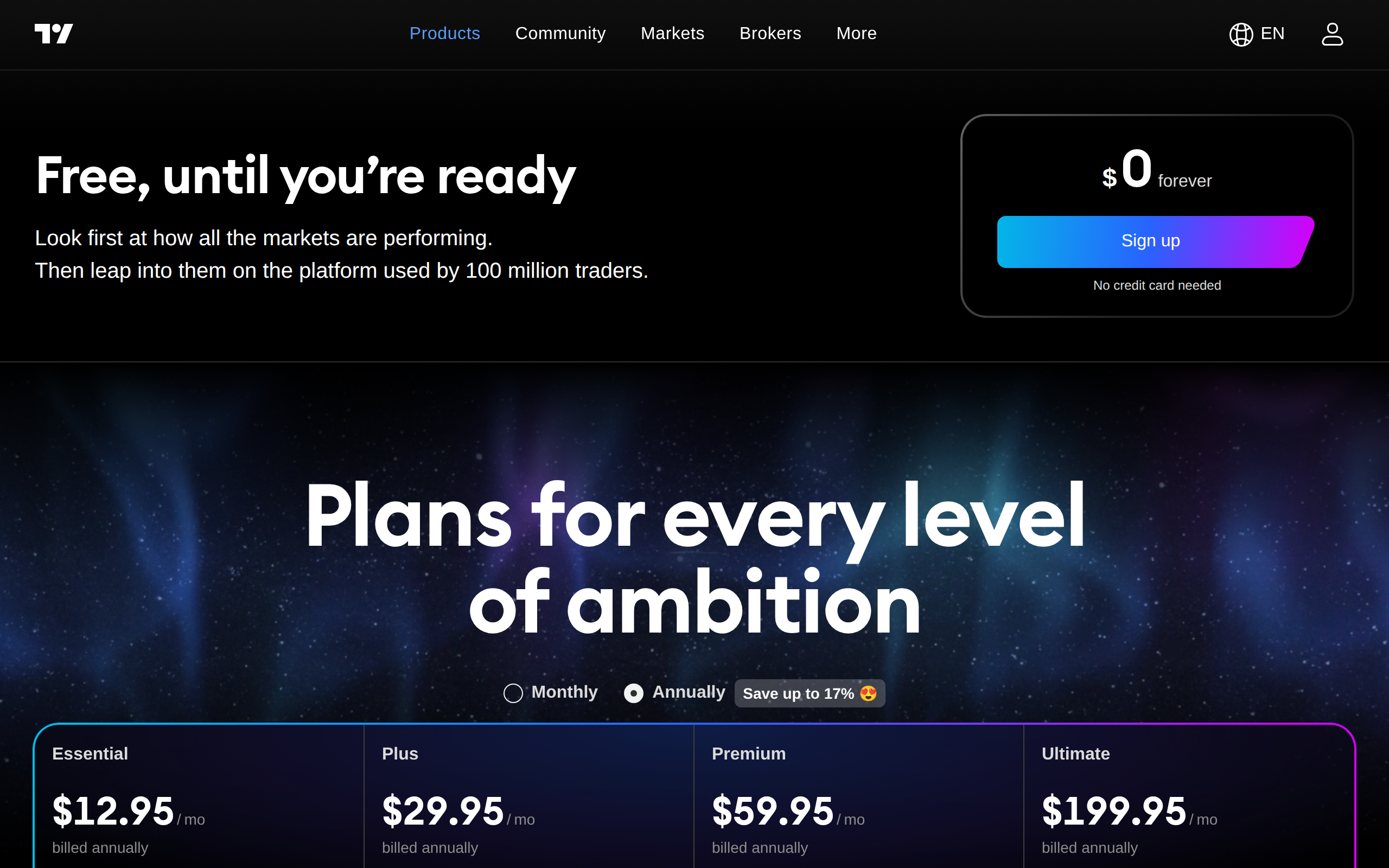
Annual billing lowers the monthly rate by roughly 13 to 17 percent. The pricing page showed $12.95, $29.95, $59.95 and $199.95 when we looked, which matches the annual rates reported elsewhere. Essential, Plus and Premium offer a 30-day trial; Ultimate offers 14 days.
Paid plans also add bar replay, indicators on indicators, chart data export and multi-condition alerts, per the official page.
Which plan fits which trader
The swing trader or long-term holder watching ten to twenty coins needs alerts, not more screens. Essential's 20 technical alerts cover that, and the jump from two to five indicators is the real upgrade.
The active spot or derivatives trader who compares timeframes will feel the single-chart limit. Plus gives four charts per tab, enough for 15-minute, hourly, four-hour and daily views of one coin together.
Premium makes sense if you run many alerts across a broad watchlist or want deeper bars for backtesting. We found few crypto traders who needed it.
Ultimate is built for desks that want 16 charts on several monitors. At $239.95 a month it costs almost $2,900 a year at monthly billing, so skip it unless charting is how you earn a living.
Research tools you get without paying
Two free pages deserve a bookmark. The crypto markets page ranks coins by price, change and market cap, with category filters.
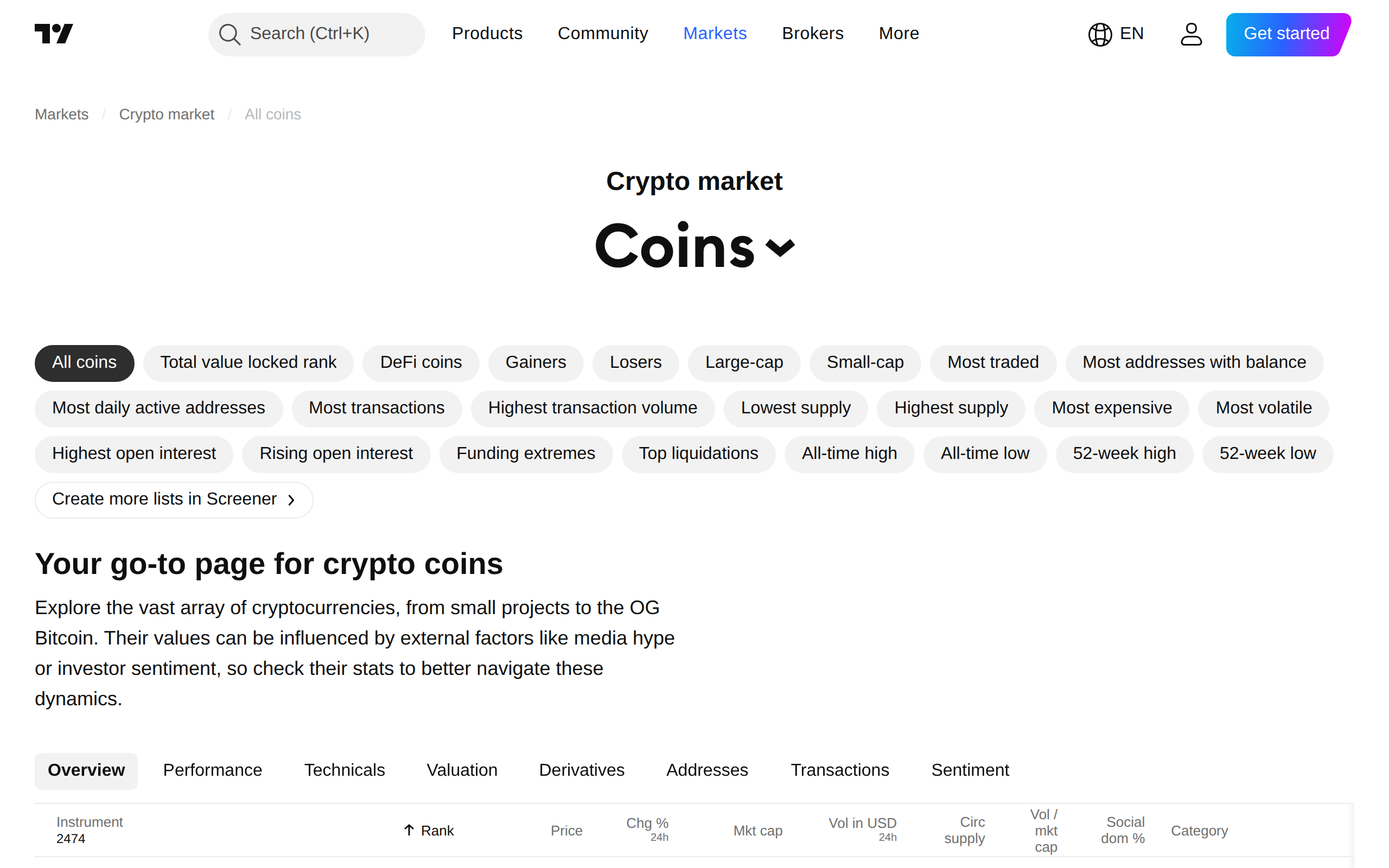
The coins screener goes further. It lets you filter by category such as Layer 1 or stablecoins, and sort on fundamentals and technical fields. For finding a short list of tokens to study, it is quicker than flipping through exchange tabs.
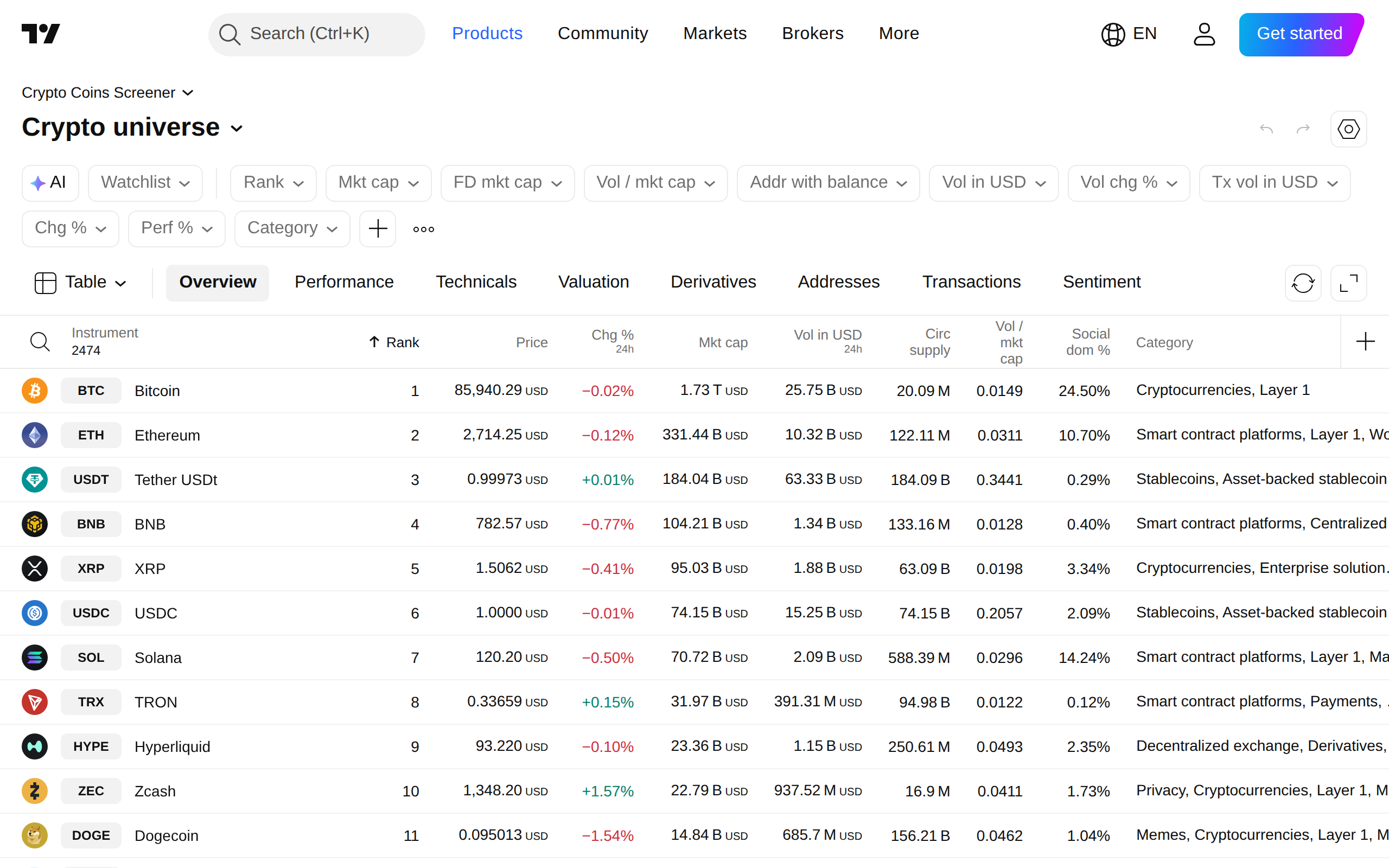
Neither page is a recommendation engine. They sort data; they do not tell you what to buy.
The chart itself
The chart is why people stay. Drawing tools, a large indicator library and a public library of community scripts are all there on the free plan, within the caps above.
One thing to remember: data comes from the exchange you select, and different exchanges print slightly different prices. Pick the venue you actually trade on, or your alerts may trigger at levels you cannot hit.
Cons and limits
TradingView does not hold money. It shows charts and sends alerts, and trading happens elsewhere, though some brokers connect. Price rises have also been steep, with third parties reporting 17 to 20 percent in April 2026. Buying on an annual plan locks the lower rate for a year, but you pay up front.
A final note on honesty: the site's tagline that 100 million traders use it is the company's own claim, not an audited count.
Verdict
TradingView earns an 8.7. Start free. Upgrade to Essential when alerts or a third indicator becomes a daily annoyance, to Plus when you want multiple timeframes side by side, and think hard before going higher. This is a tool review, not personal financial advice.
Specifications
- Free plan (Basic)
- 1 chart per tab, 2 indicators, 5,000 bars, 3 price alerts
- Essential
- $14.95/mo monthly; 2 charts, 5 indicators, 20 alerts
- Plus
- $34.95/mo monthly; 4 charts, 10 indicators, 100 alerts
- Premium
- $69.95/mo monthly; 8 charts, 25 indicators, 400 alerts
- Ultimate
- $239.95/mo monthly; 16 charts, 50 indicators, 1,000 alerts
- Annual billing
- Roughly 13 to 17 percent cheaper per month
- Free trial
- 30 days on Essential, Plus and Premium
- Payment
- Card, or crypto direct and through Binance Pay
As published by TradingView when we tested it.